

How to File VAT online safely from any device
Filing VAT online securely is now routine for UK businesses. What has changed is how and where it happens. VAT returns are no longer submitted only from office desktops. Many companies file from home, laptops, tablets, or mobile phones. This shift creates new risks, not from VAT rules but from device security, access control and data handling.
Talk to our VAT experts
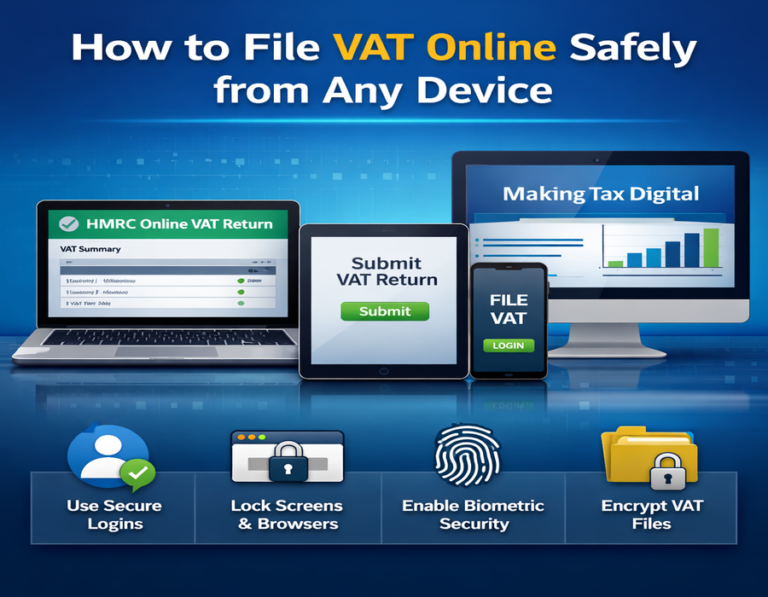
File VAT online safely by controlling device access
The most considerable VAT risk today is not Tax knowledge. It is who can access your VAT data.
One device does not mean one user
- Many small businesses share devices. A home laptop used for work streaming and personal email. A tablet shared with family. A phone used for banking, social apps, and VAT filing.
- This creates exposure.
- VAT data stored in local files or in browser apps may be visible to other users of the same device.
Best practice for safe access
- Always use a dedicated user profile when you’re on shared devices.
- Make sure to enable automatic screen locking to protect your information.
- Remember to log out after every VAT session.
- Avoid saving your login details on browsers that you don’t control.
This advice holds whether you file your VAT monthly, quarterly, or annually.
Filing VAT securely on desktop computers
Desktop computers still offer the most controlled environment if used correctly.
Why desktops are safer when managed properly
- Larger screens reduce data entry mistakes.
- Easier document review before submission.
- Better visibility of total adjustments and corrections.
But desktops are often overlooked in security.
Common VAT filing mistakes on desktop
- Keep sessions open all night.
- VAT reports are stored in unsecured folders.
- Using out-of-date browsers with updates disabled.
Safer desktop habits
- Clear browser cache after submission.
- Store VAT files in encrypted folders.
- Restrict admin access on the machine.
Safe VAT filing is as much about behaviour as it is about tools.
How to safely file VAT online using a mobile device
Although mobile VAT filing is convenient, there is a greater risk if it is not managed correctly.
Why mobile filing requires extra care
- Phones are connected at all times.
- The apps operate in the background.
- Notifications disrupt focus.
Errors or incomplete filings can happen if there’s even a brief interruption during submission.
Important mobile security measures
- Make use of biometric locking.
- Turn off screen previews for alerts.
- Don’t transfer VAT numbers between apps.
When travelling or changing networks, never file VAT. Stability is important.
VAT filing risks you may miss on tablet device
Despite being positioned between phones and desktops, tablets often adopt the worst habits from both.
Common risks related to
- Shared use in the home.
- Passwords that are automatically saved.
- Screenshots synchronised with the cloud.
It is possible to automatically back up VAT figures copied for verification.
How to minimise exposure to tablets
- During filing periods, turn off automatic backups.
- Make use of private browsing sessions.
- After submitting, delete the downloaded VAT files right away.
These steps are simple but rarely followed.
File VAT online safely by managing human error
- Set a short time block.
- Silence notifications.
- Close unrelated apps or browser tabs.
- Missed checks result from hurried submissions.
- Errors are more common in late-night filings.
- After submission, corrections attract HMRC‘s attention.
Data management guidelines for secure VAT filing
What not to do with VAT data
- VAT reports should never be emailed without encryption.
- Don’t keep unprotected files on your desktop.
- Avoid using outdated spreadsheets over time.
- VAT data should be handled in the same way as bank data.
Better VAT data handling:
- Stick to read-only files for reviews.
- Make sure to delete any duplicates after you submit.
- Keep just one final version for each period.
- Remember, less data means less risk.
Filing VAT online safely when more than one person is involved
Many businesses involve bookkeepers, assistants, or managers.
Shared access creates blind spots.
- Who was the last person to log in?
- Who changed the numbers?
- And who actually submitted the return?
Without clear visibility, it becomes trickier to spot mistakes.
Reduce shared access risk.
- Assign a single person to handle the VAT files
- Use access logs where available.
- Confirm submission internally.
- Clear responsibility protects everyone.
How safe VAT filing supports business decisions
- Accurate data feeds cash flow forecasts.
- Reliable returns support funding applications.
- Clean records reduce professional costs.
When businesses choose managed VAT filing
Some businesses choose not to handle their VAT filings themselves. This may be because they’re short on time, travelling, juggling multiple entities, or dealing with past errors. In these cases, managed VAT services can provide:
- Controlled access.
- Consistent review processes.
- Secure submission environments.
This is not about outsourcing knowledge but reducing exposure.
File VAT online safely as a standard process
Safe VAT filing should not feel complex.
- Stick to the same device
- Follow the same routine
- Use the same checklist every time.
When you keep the process steady, the risks really go down.
Whether you’re on a desktop, mobile, or tablet, you can stay safe as long as you use them correctly.
Summary
- Filing VAT online safely is no longer just about software or rules. It is about device habits, access, and data control.
- Especially when understanding how long it takes to file VAT online and how to do it faster without compromising accuracy.
- Businesses that treat VAT filing as a secure process, not a quick task, face fewer errors, fewer queries, and less stress.
Frequently Asked Questions:
Your Questions – Answered ,We’re here to help you with anything VAT-related.
1. Is it safe to file VAT online from a mobile phone?
Yes, filing VAT online from a mobile phone can be safe if the device is properly secured and used with care. The risk does not come from the phone itself but from how it is used. Mobile devices are always connected, often shared with personal apps, and frequently interrupted by notifications.
To reduce risk, use a strong screen lock such as biometrics or a long passcode. Avoid saving VAT login details in browsers or apps. Turn off notification previews and background apps before filing. Never submit a VAT return while travelling or switching networks.
A stable and private connection matters more than convenience. If you treat mobile filing as a focused task rather than something done on the move, it can be just as secure as desktop filing.
2. Can shared devices cause VAT data security issues?
Yes, shared devices are one of the most common sources of VAT data exposure. When a laptop, tablet, or phone is used by more than one person, VAT information may remain accessible through saved sessions, cached data or downloaded files. Even without malicious intent, another user may inadvertently open files or apps.
The safest approach is to use a dedicated user profile for VAT work. This separates business data from personal activity. Always log out after filing and avoid saving passwords on shared browsers. Enable automatic screen locking to prevent data from being visible when the device is idle.
If a dedicated device is not possible, limit VAT activity to private browsing sessions and delete any downloaded files immediately after submission. Small steps like these significantly reduce risk.
3. What are the biggest mistakes businesses make when filing VAT online?
The most common VAT filing mistakes are caused by rushed behaviour rather than technical issues. Filing close to the deadline increases stress and reduces attention to detail. Distractions such as emails, calls, or notifications often interrupt the process, leading to missed checks or incomplete submissions.
Another mistake is poor data handling. Keeping multiple versions of VAT reports or reusing old spreadsheets can result in incorrect figures being submitted. Leaving sessions open or storing files in unsecured folders also increases risk.
To avoid these problems, set aside a short, uninterrupted time block for VAT filing. Silence notifications and close unrelated apps. Use one final version of your VAT data and review it carefully before submission. Consistent habits reduce errors more effectively than complex systems.
4. How should VAT data be stored after online submission?
After submitting a VAT return, data should be stored securely and only as needed. VAT reports contain sensitive financial information and should be treated with the same care as bank records. Keeping unnecessary copies increases exposure without adding value.
Store one final version of the submitted return in a secure location such as an encrypted folder or protected cloud storage. Avoid leaving files on desktops or downloads folders. Do not email VAT reports unless encryption is used. Delete duplicate or draft versions once submission is confirmed.
If you need records for reference, ensure they are clearly labelled by period to avoid confusion later. Good data discipline makes future filings easier and reduces the risk of accidental disclosure or errors
5. When should a business consider managed VAT filing instead?
Managed VAT filing is often chosen when internal resources are stretched, or risk needs to be reduced. Businesses that travel frequently, manage multiple entities, or have experienced past filing errors often benefit from external handling. It is not about lack of knowledge but about control and consistency.
When VAT filing is shared between several people, accountability can become unclear. Managed services usually offer controlled access, structured review processes, and secure submission environments. This reduces the chance of unauthorised access or missed steps.
For growing businesses, managed VAT filing can also free up time while maintaining accuracy. The decision should be based on risk tolerance, workload, and the importance of having a repeatable, secure process rather than convenience alone.